
By Jack Whittaker
| April 5, 2025
Most practices shopping for remote patient monitoring (RPM) software compare dashboards. The bigger risk is billing. A platform that can’t count reading days, log staff minutes or keep RPM and RTM claims apart will cost you more in denied or clawed-back claims than it saves in staff time.
Quick answer: The best remote patient monitoring software in 2026 does eleven things well: compliance, EHR integration, caseload management, analytics, one platform for every program, alerts, patient engagement, reporting, security, billing support, and readiness for the CY2027 rule. The two that separate good platforms from weak ones are billing accuracy (16-of-30 and 2–15-day tracking, 20- and 10-minute time logs) and a clear answer on who does the monitoring work.
Below is a buyer’s checklist you can use in vendor demos, then the eleven features in detail.
Remote Patient Monitoring Software Buyer’s Checklist
Take this table into every demo. Ask the vendor to show each item live, on a real patient month, not on a slide.
| What to check | What good looks like | Question to ask the vendor |
|---|---|---|
| Devices and connectivity | Cellular devices that work out of the box, no Bluetooth pairing or patient smartphone needed, plus support for devices you already own | Which devices can we keep, and who ships and replaces them? |
| Reading-day tracking | Counts reading days per patient per 30-day period and flags whether the month bills 99454 (16–30 days) or 99445 (2–15 days) | Show me a patient on day 20 with 9 readings. What does the system tell my team? |
| Management-time tracking | Logs every minute by staff member and maps it to 99457 (20 minutes), 99470 (10–19 minutes) or 99458 (each extra 20) | How is an interactive call recorded, and can I see the audit trail? |
| Concurrent-billing log | Blocks RPM and RTM for the same patient in the same period, and keeps CCM or PCM minutes separate from RPM minutes | What happens if a patient is enrolled in both RPM and RTM? |
| EHR write-back | Readings, notes and time logs written into the chart as discrete data. A PDF upload doesn’t count | Which EHRs do you write back to today, and what exactly lands in the chart? |
| Staffing model | A clear choice between your own staff using the software and a managed service, with the trade-offs in writing | Whose employees log the billable minutes on each of your plans? |
| 2027 readiness | A written plan for the CY 2027 final rule: initiating-visit tracking and 2027 rates from January 1, employed-staff attribution before the 2029 deadline | What changes for us on January 1, 2027, and what’s your plan for the January 1, 2029 staffing rule? |
See the checklist on a live account. We’ll walk through reading-day and time tracking, the concurrent-billing log and EHR write-back with your own EHR in the room. Prefer numbers first? Model your panel in the revenue calculator.
1. Built-in Compliance & Regulatory Standards
Healthcare software and connected devices have to meet several sets of rules: HIPAA for patient data, FDA clearance for the devices, and usually a SOC 2 audit for the vendor’s own controls. Ask for the SOC 2 report itself, not a badge on the website.
Every software company and service provider that handles your patients’ data has to follow HIPAA and sign a business associate agreement (BAA) with you. If a vendor hesitates on the BAA, stop there. That’s a red flag.
2. Open API for EHR Integration
RPM software should connect to your existing electronic health record (EHR). With a real integration, readings, demographics and time logs flow into the chart in near real time and line up with the RPM CPT codes you bill.
Look for an open application programming interface (API) and support for HL7 and FHIR. HealthArc integrates with 55+ EHRs and works with 40+ cellular devices, so data reaches the chart without someone retyping it.
3. Customizable Interface for Caseload Management
A care team watching hundreds of patients needs to see who needs attention today. A configurable caseload view lets you group patients by condition, risk, assigned nurse or billing status, with tags and filters.
That keeps the monitoring process standard across your team, so a new nurse works the list the same way as one who’s been there two years.
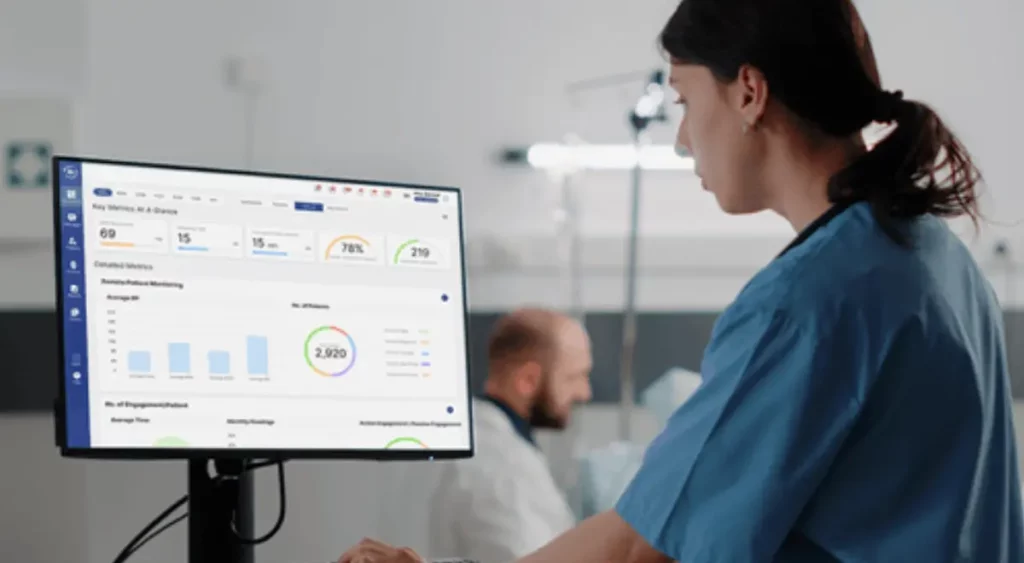
4. Data Analytics and Dashboards
Patients take readings often, which produces a lot of data. Data nobody can find when it matters is useless. HealthArc RPM has built-in analytics that show trends in each patient’s readings over time.
Dashboards and trend views let a clinician spot a slow rise in blood pressure before it turns into an ER visit.
5. Unified Healthcare Platform & Central Hub
One platform for every remote care program means one login, one patient record and one time log, whether a patient is in RPM, CCM, PCM or RTM. That matters for billing: the platform can only keep minutes separate across programs if it sees all of them.
HealthArc also handles device orders, shipping to the patient or the clinic, and device inventory inside the same platform.
6. Smart Alerts/ Notifications for Providers
Good RPM software sends an alert when a reading crosses a threshold or a trend changes. Your team can call the patient the same day, ask how they’re doing and adjust the plan.
Ask whether thresholds are set per patient. One fixed number for everyone produces either too many alerts or missed ones.
7. Patient Engagement Tools
Calls, video, SMS and a patient app all help patients stay engaged. A patient who understands their condition and knows what a high reading means is more likely to keep taking readings, and steady readings are what make a month billable.
Engagement tools also give patients a sense of control over their treatment, which helps them stick with it.
8. Report Generation
RPM produces data continuously, so reports have to be automatic. Look for reports at three levels: the patient (trends and readings), the program (enrollment, adherence, billable months) and the practice (revenue and staff time).
HealthArc reports at the program and practice level, plus clinical insights for each patient.
9. Encryption and Data Security
Patient data sits at the center of remote care, so access has to be limited to the people treating the patient. Ask about encryption in transit and at rest, role-based access and where the data is hosted.
Strong security protects your patients and protects you. A breach costs far more than any feature saves. Ask for proof.
10. Reimbursement & Billing Assistance
An RPM platform should run its workflows around the CMS billing rules. It should count reading days and minutes automatically, tell you which code each patient qualifies for at month end, and produce a claim-ready summary.
For 2026, Medicare pays about $52 for 99454 (16–30 days of readings), about $52 for the new 99445 (2–15 days), about $52 for 99457 (first 20 minutes) and about $26 for the new 99470 (first 10 minutes), at national non-facility rates. The RPM CPT code reference lists every code. If your software can’t bill the short-month codes yet, you’re leaving those months unpaid.
11. Compliance with the CY2027 Rule
On November 4, 2026, CMS released the CY 2027 Physician Fee Schedule final rule. From January 1, 2027, a new RPM or RTM patient needs an initiating visit, in person or by telehealth, before monitoring begins, and the device supply codes pay less. 99454 drops to $41.11. From January 1, 2029, Medicare will pay for RPM and RTM treatment management only when the billing practice’s own employed clinical staff do the work.
For software, that means three questions. Can it record which staff member did each minute, and whether they’re your employee? Can it track the initiating visit before a patient is enrolled? And will the vendor load the 2027 rates before January 1, not at the next release? HealthArc offers both the software and remote patient monitoring services, so you can choose a staffing model now and move the work to your own staff before 2029.
Key Features Every RPM Software Must Have in 2026
- EHR integration with write-back to the chart
- Cellular device support
- Reading-day and minute tracking, including 99445 and 99470
- A concurrent-billing log across RPM, RTM, CCM and PCM
- Secure, HIPAA-compliant communication
- Staff attribution ready for the CY2027 rule
How to Pick RPM Software You Won’t Have to Replace
Start with billing. The dashboard can wait. Score each vendor against the checklist above, then weigh usability, support, scalability and cost. Your patient mix and staffing plan decide which features matter most.
HealthArc runs RPM alongside CCM, PCM, RTM and the other CMS programs on one platform, with EHR integration, audio and video calls, and HIPAA- and SOC 2-compliant infrastructure. It’s used by practices and health systems of every size.
Schedule a demo to see the platform on your own workflow, or call us at (201) 885 5571 to plan an RPM program for your organization.
Frequently Asked Questions (FAQs)
Q1. What is remote patient monitoring software?
Remote patient monitoring (RPM) software collects readings from connected devices such as blood pressure cuffs, scales and glucometers, shows them to your care team, logs the time staff spend reviewing them, and tracks which patients meet the Medicare billing rules each month.
Q2. What features should remote patient monitoring software have?
At minimum: cellular device support, EHR write-back, threshold alerts, automatic counting of reading days and management minutes, a billing log that blocks codes which can’t be billed together, HIPAA-grade security and a clear staffing model. In 2026 it also has to handle the new short-month codes 99445 and 99470.
Q3. Can RPM software bill a month with fewer than 16 days of readings?
Yes, since January 1, 2026. A patient with 2 to 15 days of readings in a 30-day period can be billed under 99445, which pays about $52 nationally, the same as 99454 for 16 to 30 days. Your software has to count days per patient and pick the right code. Below 2 days, no device code can be billed.
Q4. How will the CY 2027 final rule affect RPM software?
From January 1, 2027, your software needs to track an initiating visit for every new RPM patient and bill at the lower 2027 device rates. From January 1, 2029, Medicare pays for RPM treatment management only when the billing practice’s own employed clinical staff do the work, so the software also has to record who did each minute and whether that person is your employee.
Q5. How do I choose the right remote patient monitoring software?
Score each vendor against the buyer’s checklist in this post, ask for a live demo using your own EHR and a real patient month, and get written answers on device ownership, data export and how the platform handles the CY 2027 final rule. Pricing matters, but billing accuracy usually matters more.

Ready to connect care between visits?
See how HealthArc runs RPM, CCM and seven more CMS programs — the platform, the devices and the clinical team — on a single demo.