
By Sudeep Bath
| September 1, 2026
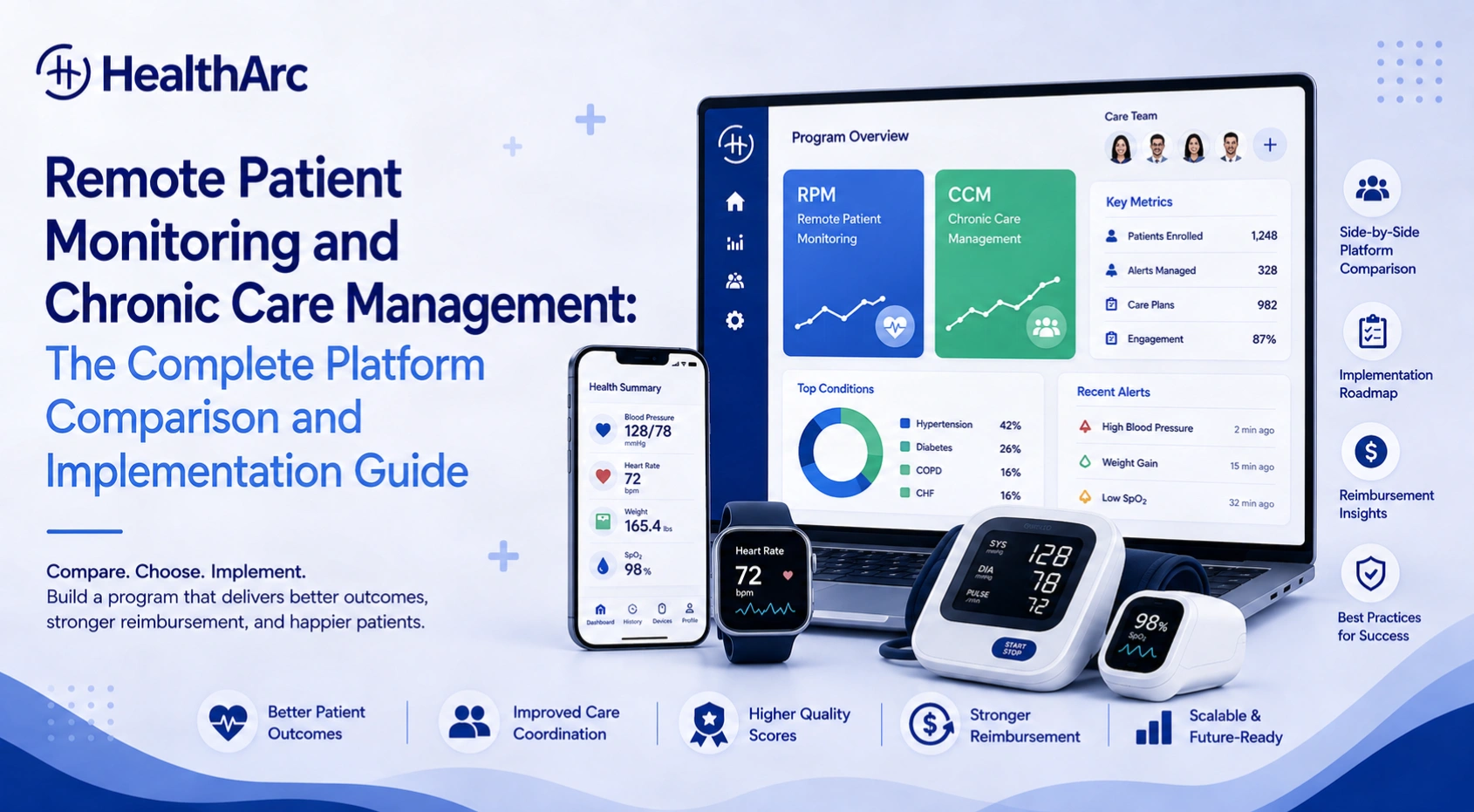
Picking a remote patient monitoring platform is a revenue decision before it is a technology decision. Get it wrong and you lose claims you already earned. The CY2026 Medicare Physician Fee Schedule added two new RPM codes, 99445 and 99470, and both exist specifically to pay for monitoring months that the old code set left unbillable. The financial case for running RPM and CCM together has never been better.
The vendor market grew just as fast. Dozens of platforms now compete for the same practices, each one claiming the deepest EHR integration, the most automated billing, and the best care coordination. Most of those claims are hard to check before you sign.
This guide covers three things providers actually ask us about when they’re shortlisting vendors:
- How to compare remote patient monitoring software on the criteria that decide real-world performance
- What separates a strong chronic care management platform from one that quietly creates compliance risk
- How to stand up an RPM program step by step, from patient identification through billing and scale
Whether you’re buying your first platform or replacing one that underdelivered, the frameworks below apply directly.
Key Takeaways
- Five dimensions decide RPM software performance: device ecosystem and cellular connectivity, EHR integration depth, automated time tracking, alert workflow design, and multi-program billing support. Feature lists come second.
- A CCM platform has to generate a living care plan. CMS requires the plan be created and maintained electronically. A PDF stapled to an EHR note doesn’t meet the standard.
- Running RPM and CCM on the same patient is the highest-value configuration at roughly $165 per enrolled patient per month, but only on a platform that keeps the two time logs separate.
- The 16-day data threshold for CPT 99454 is the number that decides your revenue. Manage it mid-month, not at month-end.
- New 2026 codes 99445 and 99470 pay for patients who can’t hit the 16-day or 20-minute thresholds. If your billing workflow hasn’t been updated for them, you’re leaving money on the table.
Table of Contents
What Actually Matters in an RPM Software Comparison
Most RPM software comparisons are feature checklists. That’s the wrong frame. Features are table stakes. What decides whether a platform holds up in a live clinic comes down to five operational dimensions.
1. Device Integration and Cellular Connectivity
The device ecosystem a platform supports controls which patient populations you can serve and how reliably data arrives. Platforms tied to a narrow set of proprietary devices create supply chain risk and stop you matching the right device to the right condition.
What to evaluate:
- Does the platform support FDA-cleared devices across every major monitoring category: blood pressure, weight, glucose, pulse oximetry, and spirometry?
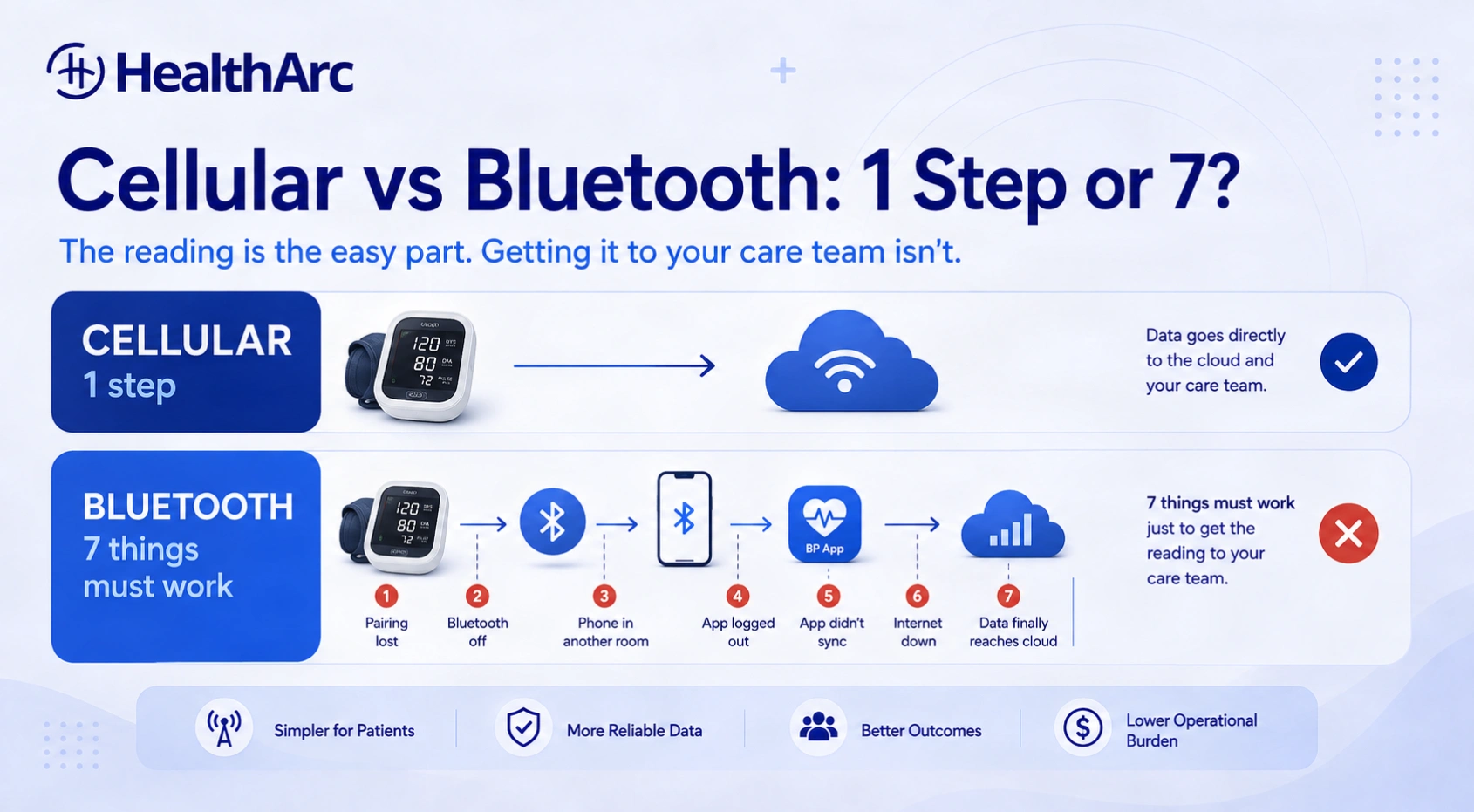
- Are devices cellular-connected with no app or Wi-Fi required, or do they depend on the patient’s smartphone?
- Who handles device logistics: shipping, replacement, and returns?
Cellular connectivity isn’t a convenience feature. The AMA’s RPM Implementation Playbook treats device usability and setup burden as a primary driver of sustained patient use, and that matches what we see across our own panels. For a 78-year-old managing hypertension or heart failure, a cuff that transmits on its own is the difference between hitting the 16-day billing threshold and losing the 99454 claim. Our own breakdown of why cellular devices drive RPM success goes deeper on the device types.
2. EHR Integration Depth
Bidirectional EHR integration is the single most important infrastructure requirement for an RPM platform. “Supports major EHRs” is not an answer. The distinction that matters is read-only versus genuinely bidirectional.
| Integration Type | What It Does | Clinical Impact |
|---|---|---|
| Read-only | Pulls diagnosis codes and demographics from the EHR | Cuts manual data entry at enrollment |
| Bidirectional | Reads from the EHR and writes clinical notes, alerts, and documentation back | Ends double charting; the full record stays in one place |
| Native EHR module | CCM and RPM functions built inside the EHR itself | Deepest integration, limited to that EHR’s patient population |
Ask each vendor to demonstrate the integration live against your specific EHR, not a generic sandbox. This is the request that separates real integrations from marketing language, and it’s the one we field most often on demos. Plenty of “integrations” turn out to be one-directional pulls that still leave your nurses retyping documentation into the chart.
3. Automated Time Tracking and Audit-Ready Documentation
CMS expects clinical time for RPM to be documented as the work happens. Time reconstructed at month-end from memory is audit exposure, and recoupment follows. The platform has to log every clinical action on its own: data reviews, patient calls, secure messages, coordination tasks, escalations.
The compliance test: ask the vendor to pull a sample audit trail for one patient over 30 days. It should show timestamps, staff IDs, the action taken, and the minutes spent. If they can’t produce it in under two minutes, the platform won’t protect you in an audit either.
4. Alert and Escalation Workflow Design
A platform that generates alerts without routing them intelligently creates alert fatigue. Fatigue leads to missed escalations. Missed escalations are a clinical problem and a liability problem at the same time.
Strong platforms let you set thresholds per patient instead of applying one population-wide default. A patient with well-controlled hypertension and a patient three weeks out from cardiac surgery should not share a blood pressure threshold. The path from alert to nurse review to provider notification needs to be configurable and auditable.
5. Multi-Program Billing Support
This is where most practices leave money behind. RPM and chronic care management can be billed concurrently for the same patient as long as the time and services are distinct. A platform that runs both programs on one patient record removes the double-charting and double-counting risk that comes with two separate tools.
The revenue math is real. Using national average Medicare rates, a practice billing CPT 99454 (about $55 a month) and CPT 99457 (about $50 a month) for RPM alongside CPT 99490 (about $60 a month) for CCM clears roughly $165 per enrolled patient per month before any add-on codes. A 200-patient panel running both programs is about $396,000 a year. Getting there needs a platform built for concurrent billing without compliance gaps. You can model your own panel in our RPM and CCM revenue calculator.
How to Evaluate a Chronic Care Management Platform
CCM platforms differ from RPM platforms in one important way: their primary output is a structured care plan, not a device data stream. Clinical workflow, documentation requirements, and billing mechanics all diverge enough that you should evaluate them separately, even if you end up buying both from one vendor. If you’re shortlisting on the CCM side, our ranked comparison of the best chronic care management software platforms covers the current field.
What CMS Requires from a CCM Platform
To bill CCM under CPT codes 99490, 99439, 99491, and 99487, a platform has to support all of the following:
- A comprehensive, patient-specific care plan covering every chronic condition
- 24/7 patient access to care team members, documented as a real mechanism
- Continuous care management, including medication reconciliation and transitional care coordination
- Electronic documentation of every care management activity with timestamped clinical time
- Monthly time tracking against the minimum threshold for each CPT code
Key compliance point: CMS requires the care plan be created, revised, and maintained electronically. A PDF attached to an EHR note doesn’t meet the requirement. The platform has to generate and store a living care plan document.
The Four Capabilities That Separate Strong CCM Platforms
Structured care plan generation. The platform should build condition-specific templates that walk clinical staff through the required elements: goals, interventions, barriers, medications, follow-up schedule. Templates cut documentation time and keep you compliant. Free-text care plans produce inconsistency and audit risk.
Care team communication and task management. CCM is a team sport. Nurse care managers, medical assistants, social workers, and physicians all touch a patient’s plan. You need task assignment, completion tracking, and a communication thread that lives in the permanent record instead of a side messaging app.
Patient engagement tools. Monthly interactive communication with the patient or caregiver is a billing requirement, not an optional touchpoint. Secure messaging, automated reminders, and patient-facing care plan access make that requirement survivable at scale.
Population health reporting. CCM creates value at the population level. The platform should surface who’s approaching the monthly time threshold, who hasn’t had their interactive communication yet, and whose conditions are trending the wrong way. Without that view, care managers spend their day hunting for information instead of delivering care.
CCM vs. RPM: Which Program Fits Which Patient?
A common question is whether a patient belongs in CCM, RPM, or both. The answer depends on their clinical profile and what the care team needs to manage them.
| Program | Best Fit | Core Requirement | Monthly Revenue Potential |
|---|---|---|---|
| CCM (99490) | Patients with 2+ chronic conditions who need care coordination and plan management | 20 min/month of non-face-to-face care management | ~$60/patient |
| RPM (99454 + 99457) | Patients whose daily physiological data changes clinical decisions | 16+ days of device data plus 20 min/month clinical time | ~$105/patient |
| CCM + RPM combined | High-acuity chronic patients where coordination and daily monitoring both add clinical value | Both sets of requirements met separately | ~$165/patient |
The combined program pays best. It also demands a platform that tracks both programs’ requirements at once without conflating the clinical time between them. Conflated time is one of the most common billing errors we see in practices running the two programs on separate tools.
If you’re weighing Principal Care Management (PCM) instead of CCM for patients with a single high-complexity condition, the same criteria apply. Check that the platform supports the care plan and documentation structure CMS requires for PCM specifically.
2026 RPM Billing Codes and What They Pay
Reimbursement structure isn’t only a billing team concern. It shapes which patients you enroll first, how you staff the program, and what ROI you can honestly promise leadership.
| CPT Code | Description | 2026 Medicare Rate | Key Threshold |
|---|---|---|---|
| 99453 | Device setup and patient education | ~$20 | One-time per episode |
| 99445 | Device supply, 2–15 days of data | ~$25 | New in 2026; short-window billing |
| 99454 | Device supply, 16+ days of data | ~$55/month | 16-day data threshold |
| 99457 | Clinical management, first 20 min | ~$50/month | Requires interactive communication |
| 99458 | Clinical management, each additional 20 min | ~$40/month | Add-on to 99457 |
| 99470 | Clinical management, 10–19 min | ~$28/month | New in 2026; lower-threshold billing |
Rates above are national averages, rounded. Medicare payment is geographically adjusted, so your actual allowable will differ by locality, and commercial payer rates are negotiated separately. Confirm against the CY2026 Physician Fee Schedule and your own contracts before you build a forecast on them. Nothing here is billing or legal advice.
What changed in 2026: CMS added CPT 99445 and 99470 to close a gap in the old code set. Patients who couldn’t hold a 16-day data streak or generate 20 minutes of clinical time were simply unbillable before. Now those shorter windows pay, which matters most for newly enrolled patients still building the habit. Our full breakdown of CPT 99445 and 99470 billing rules covers the documentation each one needs.
The 16-Day Compliance Challenge
The 99454 threshold is the most operationally significant number in RPM billing. Miss it and you lose about $55 for that patient that month. Across a 200-patient panel, sliding from 85% compliance to 70% means 30 patients drop out of billing: roughly $1,650 a month, or close to $19,800 a year, gone.
What pushes compliance above 85%:
- Cellular-connected devices with no patient setup and no smartphone pairing
- Automated daily reminders by SMS or phone call, tied to something already in the patient’s routine
- A weekly outreach call from a nurse for anyone whose transmission count is under 10 by mid-month
- A patient-facing app showing streaks and trends, so the patient has a reason to measure
For more on billing mechanics, including concurrent RPM and RTM billing, see our guide to RPM billing changes.
How to Implement an RPM Program, Step by Step
Most RPM programs that underperform didn’t fail on technology. They failed because nobody built the operational foundation before the platform went live. The AMA’s RPM Implementation Playbook lays out 12 implementation steps across planning and operationalization. Here they are consolidated into a roadmap you can actually run.
Phase 1: Program Design (Weeks 1–4)
Step 1: Identify your target population. Start with the patients where daily physiological data clearly changes care. Uncontrolled hypertension, Type 2 diabetes, heart failure, chronic kidney disease, and COPD are the usual starting points. Pull a population health report from your EHR filtered by diagnosis code and risk score. Prioritize anyone with an ED visit or hospitalization in the past 12 months. Those patients return the strongest clinical and financial result.
Step 2: Define your staffing model. The most efficient model we see is a centralized clinical team, with a dedicated group of RNs covering the whole RPM panel. Plan on one RPM nurse per 150 to 250 patients depending on acuity and alert volume. Decide upfront whether monitoring goes to existing staff, a new hire, or a clinical services partner. Everything downstream depends on that call.
Step 3: Select your devices and platform. Match the device to the condition you’re managing:
- Blood pressure monitor for hypertension
- Weight scale for heart failure
- Glucometer for diabetes
- Pulse oximeter for COPD and other respiratory disease
Require FDA-cleared, cellular-connected hardware. Then pick a platform that integrates with your EHR, tracks time automatically, and handles concurrent RPM and CCM billing if you plan to run both.
Step 4: Build billing workflows before enrollment starts. Billing setup isn’t a post-launch task. Before patient one, confirm which CPT codes you’ll bill, who submits claims each month, how denials get reviewed, and what your compliance audit process looks like. A clean billing workflow at launch prevents the revenue leakage that follows programs treating billing as an afterthought.
Phase 2: Enrollment and Onboarding (Weeks 5–8)
Step 5: Obtain and document patient consent. CMS requires consent before services begin. It has to explain the program, note any cost sharing, and land in the patient’s chart. Skipped or thin consent documentation drives a disproportionate share of downstream denials. Verbal consent given during a visit belongs in that day’s visit note.
Step 6: Enroll and educate the patient. Ship or hand over the device, confirm the first transmission arrives, and watch the patient take a reading. Onboarding quality here sets the ceiling on long-term compliance. In our experience, a patient who transmits successfully in week one usually keeps going through month one and beyond; a patient who doesn’t rarely recovers. For older patients specifically, see our practical ways to improve RPM engagement for seniors.
Phase 3: Clinical Operations (Ongoing)
Step 7: Configure the clinical monitoring workflow. Set thresholds per patient, not per population. Define who reviews data, how often, and what the escalation path is for urgent readings. The goal is that clinical attention follows the patients whose numbers are drifting instead of spreading evenly across the panel regardless of acuity.
Step 8: Document clinical time and actions every month. Reimbursement follows the clinical action taken on the data, not the collection of the data. Every month the platform has to log what was reviewed, what decisions followed, the minutes spent, and the required interactive communication with patient or caregiver. At any real panel size, automated logging is the only way documentation stays accurate.
Step 9: Submit claims and watch denials. Bill on the calendar month. Confirm the data-day and clinical-time thresholds were met before the claim goes out. Sample a handful of claims monthly to catch process gaps early. The usual denial reasons: missing consent documentation, insufficient data days, and conflicting codes billed for the same period.
Phase 4: Scale and Optimization (Month 4 Onward)
Scaling isn’t just enrolling more patients. It means proving the clinical workflow, the billing workflow, and the engagement strategy still hold at higher volume. The AMA recommends defining explicit success metrics before you scale and revisiting them quarterly. That advice is worth following.
Metrics that say a program is ready to scale:
- 99454 billing compliance above 80% across the enrolled panel
- Average clinical time per patient per month inside the target range for the codes you bill
- 30-day patient retention above 85%
- Claim denial rate under 5%
Hold those for two consecutive months and you’re ready to expand enrollment and add condition protocols beyond your first focus area. Practices moving toward value-based care contracts often find the same data supports both efforts.
What to Look for in a Unified RPM and CCM Platform
Running RPM and CCM on separate platforms is survivable for a small pilot. At scale it becomes an operational liability. Staff toggle between systems, clinical time gets logged against the wrong program, care plans stop reflecting the latest device data, and month-end billing turns into manual reconciliation across two sources of truth.
A unified platform removes those failure points. But “unified” means different things to different vendors, so here’s the checklist that separates real integration from a marketing claim.
The Unified Platform Checklist
Single patient record. Device data, care plan, clinical notes, time logs, and billing records all in one record. If your RPM nurse and CCM care manager work in different systems, the program isn’t unified.
Concurrent billing support. The platform should track RPM and CCM clinical time separately for the same patient, produce distinct documentation for each, and generate a billing report that maps every minute to the right CPT code.
Multi-device support with integrated logistics. Providers covering hypertension, diabetes, and heart failure at once need multiple device types per patient, independent data tracking per device, and device replacement that doesn’t break the billing timeline.
AI-assisted workflow automation. The most advanced platforms use AI to rank the clinical worklist, flag patients at risk of missing the 16-day threshold before month-end, and surface care plan gaps from incoming device data. This is available now, and it directly cuts the nursing hours needed per patient.
Optional clinical staffing services. Some platforms will run the clinical work for you, with the vendor’s nurses handling daily monitoring, patient outreach, and documentation. That removes the hiring risk and shortens time to launch. HealthArc offers this as an optional layer on top of the software, so you can keep clinical operations in-house or hand them over.
EHR-native documentation. Notes, care plans, and billing documentation should flow into the EHR without anyone copying and pasting. Copy-paste is the single biggest source of staff friction in RPM and CCM programs.
For a closer look at how platform architectures differ, see our analysis of the HealthArc platform versus point RPM software.
Five Implementation Mistakes That Cost Practices Money
The gap between a program that produces results and one that limps along usually comes down to a handful of avoidable execution errors. These are the ones we see most.
Enrolling Too Broadly at Launch
The urge to enroll everyone at once is understandable. It also backfires. Programs that open with 25 to 50 carefully chosen patients, fix their workflows, then scale tend to beat programs that launch with 200 and discover process gaps at volume. Pilot with your highest-acuity, most engaged patients. Validate the workflow on them, then expand.
Treating Consent as a Checkbox
Consent is a legal requirement and an engagement moment at once. Patients who understand why they’re being monitored, what happens to the data, and who calls them when a reading looks wrong measure far more consistently. Rush the consent conversation for compliance reasons and you forfeit that.
Separating Billing from Clinical Operations
Billing belongs inside the clinical workflow, not in a month-end reconciliation. When it’s downstream, errors pile up: undocumented interactive communications, missed time thresholds, conflicting codes. When the platform tracks time and produces billing-ready documentation as a byproduct of clinical work, the error rate drops sharply.
Ignoring the Mid-Month Data Gap
The 16-day threshold for 99454 resets every month. A patient sitting at 8 readings on day 20 is about to cost you the claim. Programs that wait until month-end to check compliance lose revenue a single mid-month phone call would have saved. Put a mid-month compliance review in the workflow on day one.
Underestimating Patient Onboarding Time
The first two weeks after device delivery are the highest-risk window for dropout. Patients who struggle with the device, don’t understand the routine, or never hear back about their readings tend to disengage before the program bills its first month. Assign one named staff member to follow up with every new enrollee within 48 hours of delivery and confirm that first successful transmission.
Our RPM FAQ for patients and providers covers the questions that come up most during onboarding.
Three Questions No Vendor Demo Will Answer
Once you’ve worked through the five RPM dimensions, the CCM requirements, and the implementation roadmap, the decision narrows to three questions a demo won’t settle for you.
1. Can this platform handle the volume we project 18 months out?
A platform that’s comfortable at 50 patients can bottleneck badly at 300. Ask for references from practices that have already scaled past your target, and talk to their clinical operations staff, not the IT or billing contact.
2. What happens when something breaks?
Device failures, transmission gaps, integration errors, and billing denials aren’t edge cases. Every program hits them. Evaluate the support model: response time, escalation path, and whether clinical support is staffed during the hours your team is monitoring patients.
3. Does the vendor understand CMS compliance at a clinical level?
The rules move every year. Fee schedule updates, new codes like 99445 and 99470, and shifting documentation requirements mean a vendor’s compliance knowledge is a living asset, not a one-time configuration. Vendors who stay ahead protect your revenue. Vendors who lag create audit exposure.
The real test: ask each vendor to walk you through how their platform handled the 2026 code additions, and what they changed in their billing workflow and documentation templates because of them. The specificity of that answer tells you more about their regulatory competence than any feature grid.
If you operate across multiple states or serve both Medicare and commercial populations, confirm the billing logic handles payer-specific rules. Medicare defaults alone won’t cover you. Commercial payers increasingly cover RPM and CCM, with their own prior authorization and documentation standards.
For practices moving from evaluation to implementation, the HealthArc provider platform was built for exactly the demands described here: RPM and CCM on a single patient record, cellular device support across 40+ states, bidirectional EHR integration, automated time tracking, and optional clinical staffing for teams that want to launch without adding headcount.
Frequently Asked Questions
What is the best RPM and CCM platform in 2026?
The best platform is the one that runs RPM and CCM on a single patient record, tracks clinical time for each program separately, and writes documentation back into your EHR without manual entry. Evaluate vendors on device ecosystem and cellular connectivity, EHR integration depth, automated time tracking, alert workflow design, and concurrent billing support. HealthArc unifies RPM, CCM, RTM, PCM, TCM, and BHI on one platform with software-only or fully managed delivery.
Can RPM and CCM be billed for the same patient in the same month?
Yes. CMS permits concurrent RPM and CCM billing for the same patient in the same calendar month, provided the clinical time counted toward each program is distinct and separately documented. The compliance risk is double-counting minutes, which is why running both programs on one platform matters. Combined, RPM and CCM pay roughly $165 per enrolled patient per month at national average rates.
How much does remote patient monitoring reimburse in 2026?
A typical RPM patient reimburses about $105 a month: roughly $55 for CPT 99454 (device supply with at least 16 days of readings) plus about $50 for CPT 99457 (the first 20 minutes of management). CPT 99453 pays about $20 once at enrollment, and CPT 99458 adds about $40 for each additional 20 minutes. Rates are national averages and are adjusted by locality.
What are CPT codes 99445 and 99470?
Both are new RPM codes in the CY2026 Physician Fee Schedule. CPT 99445 covers device supply and data transmission for 2 to 15 days of readings in a 30-day period, so a patient who misses the 16-day threshold is still billable. CPT 99470 covers 10 to 19 minutes of RPM treatment management time in a calendar month, below the 20-minute floor for 99457. Together they make short monitoring windows billable for the first time.
What is the 16-day rule for CPT 99454?
CPT 99454 requires that a patient transmit physiological data on at least 16 separate days within a 30-day period. Miss it and you lose the device supply payment for that patient that month, about $55. On a 200-patient panel, dropping from 85% to 70% compliance costs roughly $1,650 a month. Cellular devices, automated reminders, and a mid-month outreach call for low transmitters are what keep compliance above 85%.
Does a CCM platform have to store the care plan electronically?
Yes. CMS requires the comprehensive care plan be created, revised, and maintained electronically, and made available to the care team. A static PDF attached to an EHR note does not satisfy the requirement. Ask any CCM vendor to show you a live care plan being updated, and confirm the revision history is retained.
How many patients can one RPM nurse manage?
Plan on one dedicated RPM nurse per 150 to 250 patients. The range depends on patient acuity, alert volume, and how much of the time logging and worklist prioritization the platform automates. Programs relying on manual time tracking sit at the low end of that range or below it.
How long does it take to launch an RPM program?
Budget roughly eight weeks from decision to first billable month: four weeks for program design (population selection, staffing model, device and platform selection, billing workflow) and four weeks for enrollment and onboarding. Start with 25 to 50 patients, validate the workflow, then scale once 99454 compliance holds above 80% for two consecutive months.
Is patient consent required for RPM?
Yes. CMS requires consent be obtained and documented before RPM services begin. The documentation has to show that the patient was told what the program involves, what cost sharing applies, and that they can stop at any time. Missing or inadequate consent documentation is one of the most common causes of RPM claim denials.
Where to Start
If you’re early in this process, do two things this week. Pull a list of your patients with two or more chronic conditions and at least one ED visit in the past year; that’s your pilot cohort. Then ask your two shortlisted vendors for a live integration demo against your own EHR and a 30-day audit trail for a real patient. Those two artifacts will tell you more than a month of feature comparisons.
Want to see a unified RPM and CCM platform against your actual panel? Book a HealthArc demo and we’ll model the revenue and walk the workflow with your patient population and program goals in front of us. It takes about 20 minutes.
Related reading: Managing CKD, Hypertension and Diabetes in One RPM Program · CPT 99445 and 99470: 2026 Short-Window RPM Billing · 10 Best Chronic Care Management Software Platforms · RPM and CCM CPT Codes · CMS Physician Fee Schedule · AMA RPM Implementation Playbook

Ready to connect care between visits?
See how HealthArc runs RPM, CCM and seven more CMS programs — the platform, the devices and the clinical team — on a single demo.